Hey just wanted to chime in here (Patrick I think you’re doing a great job communicating):
I’m also wondering if it’s an Nvidia driver update problem
I have run the same commands on my windows machine and i get
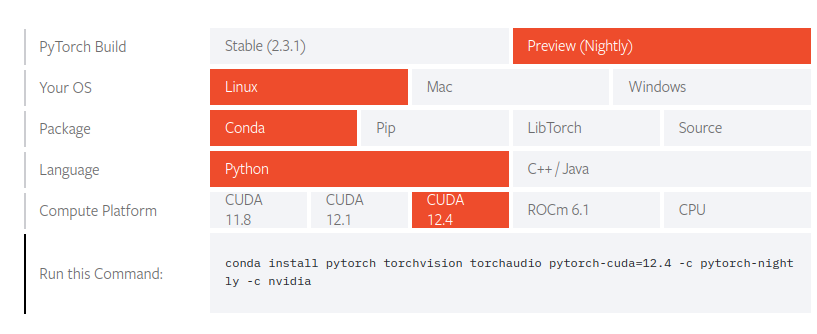
conda install pytorch torchvision torchaudio pytorch-cuda=12.4 -c pytorch-nightly -c nvidia

(ifwhisper-cuda) PS C:\Users\123> python -c "import torch; print(torch.__version__); print(torch.version.cuda); print(torch.randn(1).cuda())"
2.4.0.dev20240605
None
Traceback (most recent call last):
  File "<string>", line 1, in <module>
  File "C:\Users\123\miniconda3\envs\ifwhisper-cuda\lib\site-packages\torch\cuda\__init__.py", line 301, in _lazy_init
    raise AssertionError("Torch not compiled with CUDA enabled")
AssertionError: Torch not compiled with CUDA enabled
just updated my drivers today too which i think was a mistake lol. Nvidia SMI shows:
NVIDIA-SMI 555.99 Driver Version: 555.99 CUDA Version: 12.5
as an update, tried it on a linux machine with an RTX 3080 and NVIDIA 550 i get the same results:
(ifwhisper-cuda) isaac@Isaac:~$ python -c "import torch; print(torch.__version__); print(torch.version.cuda); print(torch.randn(1).cuda())"
2.4.0.dev20240605
None
Traceback (most recent call last):
  File "<string>", line 1, in <module>
  File "/home/isaac/miniconda3/envs/ifwhisper-cuda/lib/python3.9/site-packages/torch/cuda/__init__.py", line 301, in _lazy_init
    raise AssertionError("Torch not compiled with CUDA enabled")
AssertionError: Torch not compiled with CUDA enabled
nvidia-smi output
| NVIDIA-SMI 550.78 Driver Version: 550.78 CUDA Version: 12.4 |
so i’m actually not sure what the problem is related to
So this may be because im relatively new to working with pytorch, but were the commands you linked the GPU Pytorch or CPU Pytorch install commands? I copied your commands directly so I assumed they wouldbe GPU enabeld Pytorch. do i need to install that with separate commands?
Didn’t put too much time in this issue since reverting to 550 fixed everything, but there must be something incorrect, in pytorch/debian/nvidia side.
I used to use debian apt to install nvidia drivers as op does. After a brainless “apt update; apt upgrade” , both the nvidia driver and support libraries were updated to version 555. I rebooted the system to ensure everything is in effect.
Then all existing pytorch environments broken as people said in this thread.
(akicomfy) dl@kxn-deepl:~$ python
Python 3.10.14 (main, May 6 2024, 19:42:50) [GCC 11.2.0] on linux
Type “help”, “copyright”, “credits” or “license” for more information.
import torch
print(torch.cuda.is_available())
/home/dl/miniconda3/envs/akicomfy/lib/python3.10/site-packages/torch/cuda/init.py:118: UserWarning: CUDA initialization: CUDA unknown error - this may be due to an incorrectly set up environment, e.g. changing env variable CUDA_VISIBLE_DEVICES after program start. Setting the available devices to be zero. (Triggered internally at …/c10/cuda/CUDAFunctions.cpp:108.)
return torch._C._cuda_getDeviceCount() > 0
False
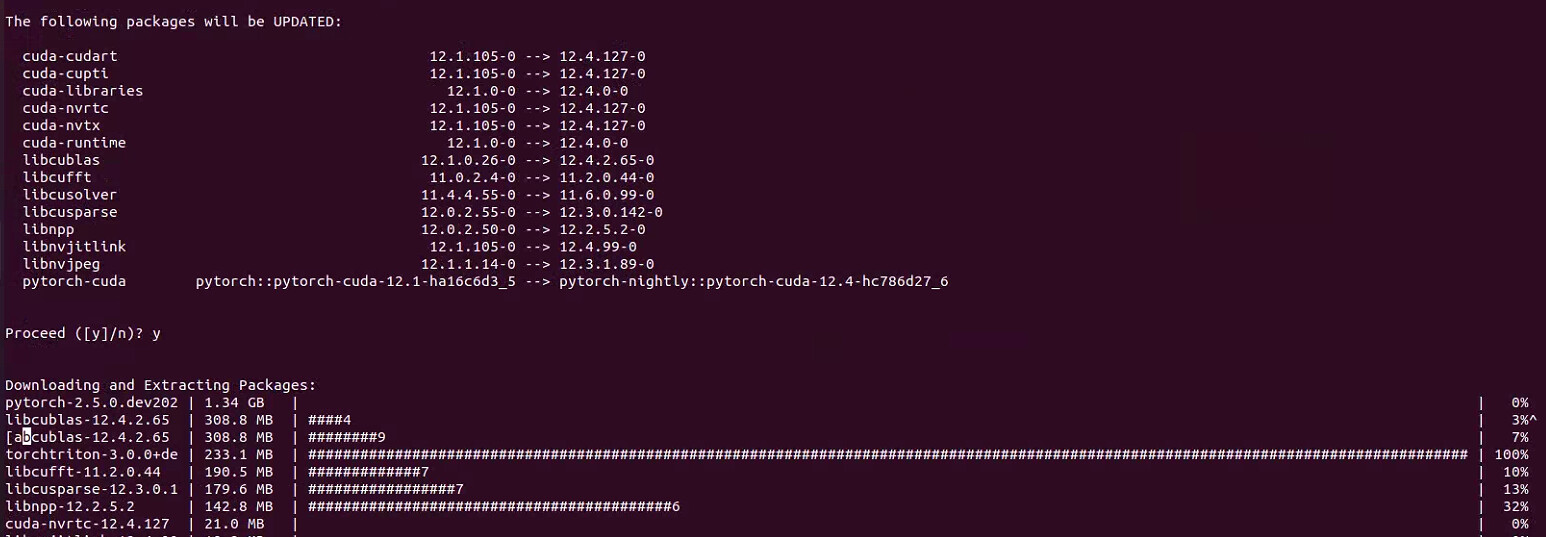
I used conda to create another new environment , installed pytorch nightly as pytorch site suggested , the command was
Successfully installed MarkupSafe-2.1.5 filelock-3.13.1 fsspec-2024.2.0 jinja2-3.1.3 mpmath-1.2.1 networkx-3.2.1 numpy-1.26.4 nvidia-cublas-cu12-12.4.2.65 nvidia-cuda-cupti-cu12-12.4.99 nvidia-cuda-nvrtc-cu12-12.4.99 nvidia-cuda-runtime-cu12-12.4.99 nvidia-cudnn-cu12-9.1.0.70 nvidia-cufft-cu12-11.2.0.44 nvidia-curand-cu12-10.3.5.119 nvidia-cusolver-cu12-11.6.0.99 nvidia-cusparse-cu12-12.3.0.142 nvidia-nccl-cu12-2.20.5 nvidia-nvjitlink-cu12-12.4.99 nvidia-nvtx-cu12-12.4.99 pillow-9.3.0 pytorch-triton-3.0.0+45fff310c8 sympy-1.12 torch-2.4.0.dev20240610+cu124 torchaudio-2.4.0.dev20240610+cu124 torchvision-0.19.0.dev20240610+cu124 typing-extensions-4.8.0
(test555) dl@kxn-deepl:~$ python
Python 3.10.14 (main, May 6 2024, 19:42:50) [GCC 11.2.0] on linux
Type “help”, “copyright”, “credits” or “license” for more information.
import torch
print(torch.cuda.is_available())
/home/dl/miniconda3/envs/test555/lib/python3.10/site-packages/torch/cuda/init.py:128: UserWarning: CUDA initialization: CUDA unknown error - this may be due to an incorrectly set up environment, e.g. changing env variable CUDA_VISIBLE_DEVICES after program start. Setting the available devices to be zero. (Triggered internally at …/c10/cuda/CUDAFunctions.cpp:108.)
return torch._C._cuda_getDeviceCount() > 0
False
Reverting to everything related to nvidia driver to version 550 using aptitude fixed everything.
I wouldn’t recommend to “brainlessly” update to a BETA Driver if you don’t want to spend time on it or if you are not looking to verify a specific fix or feature.
With that being said, it’s good to hear that 550 works for you!
Oh, Thanks, It works for me.
At first, I installed the Nvidia driver for 12.4 and that install command didn’t work (nvidia-smi);
Later, I installed cuda-toolkit for 12.4 and set the environment variable (nvcc -V) and that command worked.